At the creation of a document, you can add related files (such as drawings, or any kind of supporting documents) to it.
|
o From “Classification”, o
Select a family, o
Select the type of document, o
Click on «Create Object», |
|

|
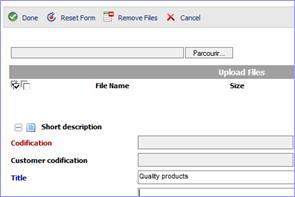
The properties form for the document type is displayed. A file selector box also appears at the top of the page. o
Click on «Parcourir» to
associate the file with the object. The «Upload»
window is displayed. |
|
|
o
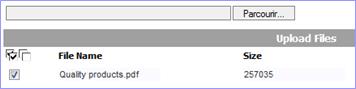
After you have selected the file(s), click on «Upload All» The uploaded files list is displayed. |
|
|
o
Complete the form to define the properties. o
If you are going to create several document of the same type, check
the box «Save and Create New» o
Click on «Done» to save the
document to the database. |
|
If you omitted to assign required properties or assigned invalid values, an error message appears.
o Click on «OK» to return to the properties form and complete the required fields.
An
icon associated to your object is now displayed 
You can access the file by clicking on the thumbnail
